Know what is converting.
Scale what is winning.
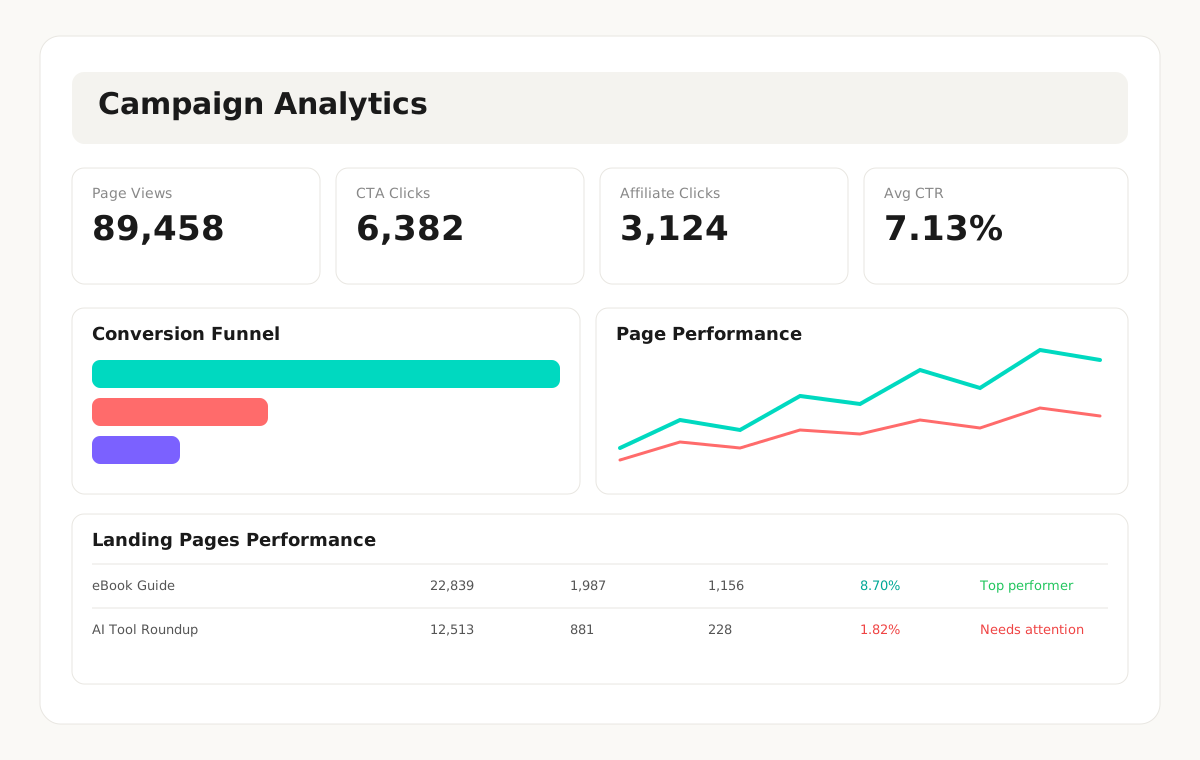
Quickvert Campaign Analytics gives you a clear view of campaign performance without spreadsheet chaos. Track page views, CTA clicks, and affiliate clicks, then prioritize campaigns with the strongest conversion signals.
Click through each analytics layer.
See dummy data for every feature.
This demo is interactive for visitors. Each tab reveals sample data so they can understand exactly how Quickvert Analytics works.
From traffic to action.
One dashboard view.
Campaign Analytics is designed to help you make decisions quickly: identify winners, diagnose weak spots, and push high-intent traffic toward more affiliate clicks.
Launch your campaign
Publish your page from Quickvert and start collecting campaign activity data.
Monitor funnel health
Use funnel and chart views to compare page views, CTA clicks, and affiliate clicks.
Find top and weak performers
Leaderboard-style rows and insight cards highlight what to scale and what to fix.
Improve conversion quality
Pair performance analytics with campaign quality score reports to optimize faster.
Clarity, not dashboard clutter.
Insights you can act on immediately.
Every panel is focused on campaign outcomes. You can review trend lines, compare campaigns, and decide what to improve next without digging through noisy reports.
Track momentum with clean charts that make patterns obvious in seconds.
Get clear guidance on top performers, opportunities, and campaigns needing attention.
Review campaign status, score band, and traffic behavior in one table.
No bloated analytics suite. Just the metrics that help affiliate campaigns convert.
Common questions about
Campaign Analytics
Ready to see what your
campaigns are really doing?
Turn data into clear decisions and scale your top-performing offers.
Start Free and Track Campaigns →